Battery Logger Replacement: How to Change Data Loggers for Accurate Temperature Data
Temperature control is an essential parameter in any consideration where compliance, safety, and quality are required, ranging from the pharmaceutical industry to food storage. At the center of this procedure is a temperature data logger that must accurately record fluctuations in temperature over time. Sometimes, a logger can be a sophisticated device; therefore, with respect to its operation, care must be taken, along with regular battery backup replacement. This step-by-step guide provides an in-depth explanation of how to replace batteries in data loggers. Using the suggestions for maintaining and replacing your logger will ensure an uninterrupted flow of accurate temperature data, allowing your operation to run smoothly without a hitch. The article below, which contains all the necessary information, will teach you how to treat your data loggers.
Introduction to Battery Loggers
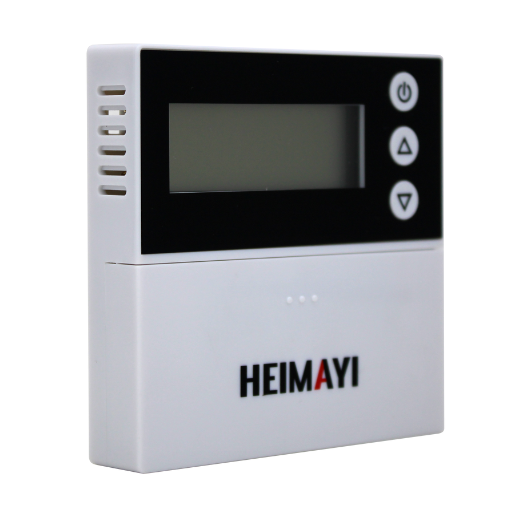
These are battery-powered tools used to measure and record data over time, such as temperature or humidity levels. These are often brought into service to ensure compliance in the fields of health, food preservation, or environmental monitoring. From the perspective of data quality, the logger remains reliable as long as it has power from the batteries and the batteries are replaced on time, thus allowing it to collect and store data.
What is a Battery Logger?
Battery loggers are compact devices used to monitor and record environmental or operational data over time, powered by internal batteries to provide consistent and portable functionality across various industries.
Importance of Temperature Data in Logging
Temperature data plays a critical role in logging to ensure that the monitoring and interpretive backends of various applications are precisely handled. It goes without saying that tracking temperature trends illustrates numerous actions for providing quality and safety in specific industries. Hereunder are five main reasons why temperature data is significant:
- 1
Profile for Product Quality: Temperature profiles are established in various industries, such as food and pharmaceuticals, to prevent products from spoiling and ensure product safety.
- 2
Machinery Performance: Temperature data immediately detects any deviation from an agreed-upon level worth investigating, with performance being under or over-optimum temperature; correction can take place in tandem before a breakdown occurs.
- 3
Compliance with Regulations: Several industries are subject to environmental or safety regulations that mandate strict temperature monitoring and documentation.
- 4
Environmental Impact Assessment: The logging of temperature data is a crucial process in evaluating ecological conditions for scientific research, agriculture, and climate studies.
- 5
Energy Management: Temperature data trends can improve energy use for heating, cooling, and ventilation.
Overview of Battery Replacement Process
Replacing a battery requires several critical steps to ensure safety and efficiency. The following steps provide a detailed breakdown:
Check Battery Condition
Whenever a battery is replaced, its condition should be assessed before the replacement to confirm that it is no longer suitable for use. Standard symptoms may appear when a battery performs inadequately or inconsistently, including diminished capacity, excessive heating, casing swelling, and inconsistent performance. According to a recent study, lithium-ion batteries, the most common type, are said to last a maximum of 300-500 complete charge cycles before showing an appreciable loss of capacity.
Choosing a Compatible Replacement
Selecting a replacement must involve matching the manufacturer’s battery specifications, including voltage, capacity (measured in mAh), and form factor. Recent developments in battery technology promote high-capacity or low-energy-draw options wherever possible to achieve optimal performance and the longest lifespan.
Safety Precautions
Safety measures should be observed during the actual replacement, all of which are aimed at preventing accidents. These individuals are wearing protective clothing and working on an insulating bench, ensuring that all devices are turned off and disconnected from any electrical source.
Removal of the Old Battery
This is done in a manner that depends on the unit’s engineering. For batteries that are easy to access, this may involve unsnapping or sliding the battery compartment out. For embedded batteries, tools such as heat guns or spudgers might always be on hand to assist in gently disengaging the adhesive without damaging internal components.
Installation of the New Battery
With removal completed, the new battery must now be placed and aligned properly so that all connections are correctly aligned. Industry reports recommend using pre-certified replacement parts from reputable manufacturers for safety and to ensure compliance with warranty conditions.
Testing and Calibration
Upon installation, the device must be tested to ensure it is functioning correctly. For optimal performance, some devices require battery calibration, which involves fully charging and then fully discharging the battery at least once, allowing the percentage indicator to be accurately aligned with the actual battery capacity.
Battery Recycling
The discharged battery must be recycled in an environmentally responsible manner. According to the U.S Environmental Protection Agency (EPA), recycling one single lithium-ion battery ensures the retrieval of critical materials, namely cobalt, lithium, and nickel, for sustainability.
By following these procedures, you can safely replace batteries while promoting the device’s longer life and causing less harm to the environment.
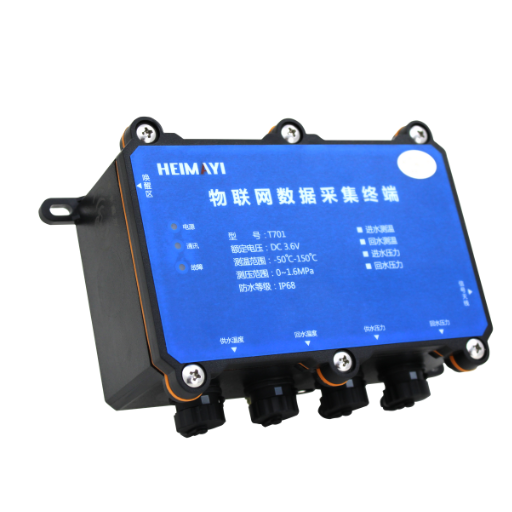
Reasons for Replacing the Battery Temp Logger
- 1
Ensure Accurate Readings: If the battery is depleted or failing, the logger can yield inconsistent or inaccurate temperature data, rendering the data unreliable.
- 2
Prevent Data Loss: If the battery dies in the middle of an operation, you will face a very critical addition to your loss record.
- 3
Maintain Device Performance: Regularly replacing batteries will keep the logging system running at peak efficiency and minimize unplanned downtime.
- 4
Prolong Device Lifespan: Based on internal design, in some cases, an old battery can irreversibly stress other internal components, reducing the lifespan of the measuring instrument. Battery replacement can help to circumvent this issue and result in an extended lifespan of the instrument.
Addressing these reasons helps users preserve the functionality and reliability of their temperature logger.
Decreased Performance and Data Accuracy
Failure to replace a temperature logger’s battery over time can lead to a significant decline in performance and accuracy. When power drains from the battery, the device is unlikely to maintain consistent operations; hence, readings are delayed or data logging is intermittent. Studies now show that with low battery power, a flimsy device can induce errors in measurement recording by approximately 5–10%, depending on the specific model and working conditions.
The remaining insufficient power supply would cause an effect on the internal sensors of the device. For example, voltage drops in an old battery could cause calibration drifts, where the temperature being recorded may differ from its real value. This becomes an issue in areas such as pharmaceuticals or food storage, where even a slight temperature monitoring inaccuracy can equate to noncompliance with safety regulations. According to Google sources, maintaining optimal power levels in electronic devices is necessary to maintain data integrity.
Another aspect is that for prolonged periods of weak battery power, if an unexpected outage occurs, the logger may lose a significant amount of historical data. In this regard, experts suggest proactive battery replacement schedules, reinforced by monitoring systems that can alert operators when power levels approach the critical threshold.
Signs That Indicate Battery Change is Needed
- Frequent Power Interruptions: If sudden DC shutdowns and startups are observed, it may indicate that the battery is no longer maintaining a stable charge.
- Shortened Battery Life: Ever since one takes notice of it, the battery refuses to hold much power; it might be that recharging is too often needed, or else, it loses power faster while in use.
- Battery Swelling or Physical Damage: These are indications that are visible to the naked eye: swelling, leaking, or corrosion around the battery area. Note that this battery is no longer safe or usable and must be replaced immediately.
- Error Notifications or Alerts: Many devices nowadays have a system that notifies users when the battery has lost most of its capacity, thereby signaling the need for a replacement.
- Performance Deterioration: As the aging battery becomes too slow to work or experiences an abnormal temperature increase, it can also cause a device to deteriorate in performance.
Impact of Temperature on Battery Life
Temperature is a crucial factor in determining the lifespan and performance of a battery. Extreme temperatures, whether high or low, can negatively affect the capacity, efficiency, and reliability of a battery. Some points explaining the effect of temperature on battery life include the following:
| Temperature Effect | Impact on Battery |
|---|---|
| Higher Temperatures Mean Faster Aging | The higher the temperature, the faster the electrolyte inside the battery deteriorates, shortening its life. Some studies show that an increase of 15-20°F (or 8-11°C) above the ideal room temperature will halve the battery’s lifespan. |
| Lower Temperatures Mean Lower Efficiency | On the other hand, low temperatures also slow down the chemical reactions inside the battery, which results in decreased capacity and poor performance. In colder conditions, lithium-ion batteries will not be able to release as much power as they usually would. |
| Risks of Thermal Runaway at High Temperatures | At high temperatures, the battery faces thermal runaway risks, causing it to heat up uncontrollably and potentially leading to damage or safety hazards, such as explosions. |
| Best Performance Temperature Range | Batteries work best at a temperature range generally stipulated between 68°F and 77°F (20°C to 25°C). When kept within this range, battery performance and longevity are most highly maintained. |
| Constant Temperature Changes | Continuous fluctuating temperatures lead to internal structural damage in the battery component, which in turn results in Poor performance as time advances. It has fast heating and cooling cycles. |
Being aware of temperature influences helps maximize battery life and ensure safety.
Step-by-Step Instructions for Battery Replacement
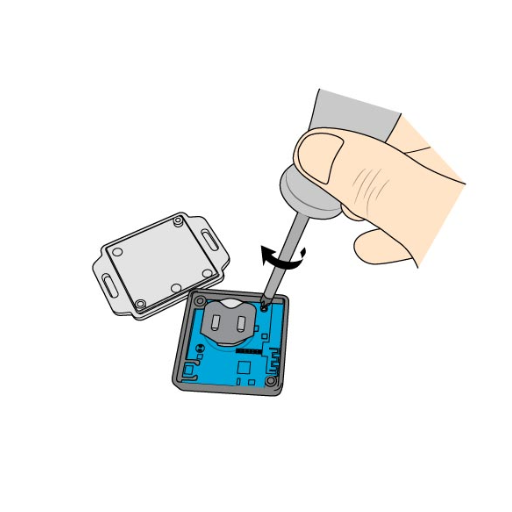
Being one of the safest procedures, battery replacement needs utmost preparation along with stepwise procedures to ensure the best results, as explained in the following stepwise instructions mixed with updated information:
1
Assemble Tools and Equipment
- Ensure you receive a legitimate replacement battery model that matches your device’s specifications.
- Tools like a screwdriver, a plastic prying tool, gloves, and eye guards should be gathered.
- Switch off the device and unplug it from all other power sources.
2
Safely Discharge the Battery
Discharge the battery for safely removing it to around 25-30 % charge. A lesser charge could lead to short-circuiting or thermal events during battery handling.
3
Open the Battery Compartment
- Refer to your device’s manual for more specific instructions.
- Remove all screws or clips that were fastening the back cover. Using any plastic prying tool, carefully open the device’s casing, without forcing the tool into the casing, which could damage the internal components.
4
Remove the Battery
- Without much force, unplug the battery connector from the motherboard. Never, under any circumstances, use a metal tool, as this may short-circuit connections.
- Carefully detach any adhesive strips that hold the battery in place. Apply firm pressure to gently lift the strips away, being careful not to rip them.
5
Inspect and Replace Battery
- Inspect the battery compartment for dirt or damage. Clean the inside with a lint-free cloth if necessary.
- Push in the new battery, taking care to align the connectors properly. Securely attach the connector to the motherboard.
6
Test Replacement
- Turn on the device to confirm that the battery is working before closing it up.
- If the device does not power on, recheck the connection or consult a professional.
7
Close Up the Device
- Put the back cover, installing all screws or clips.
- Perform a final check to ensure all components are securely fastened and that no external gaps are present.
8
Battery Calibration
Charge the battery fully to 100%, then discharge the battery completely to around 5-10%. Repeat this charging and discharging cycle one more time to achieve optimal battery performance and lifespan.
Important Note: Careful precision must be taken when replacing batteries, particularly with lithium-ion batteries, which are extremely sensitive to thermal and physical stresses. Data from recent studies indicate a potential failure rate of 8% if the battery is mishandled or improperly strangled; therefore, precautions during this operation are crucial. Recycle all old batteries properly at certified recycling centers to lessen the environmental impact.
Gathering Necessary Tools and Materials
Before replacing a lithium-ion battery, it is essential to gather all necessary tools and materials to ensure safety and efficiency. The following list catalogs tools and materials and combines current data for effectiveness and safety considerations:
Screwdrivers and Opening Tools
Precision screwdriver sets are essential for accessing devices without damaging internal components. Industry data show that magnetic-tipped tools reduce the chance of losing small screws by 45%. Plastic opening tools prevent scratches or dents on surfaces, which is excellent compared to metal.
Anti-Static Wrist Strap
Lithium-ion batteries are sensitive to electrostatic discharge. Wearing an anti-static wrist strap can reduce the risk of accidental damage by almost 80%, according to the most recent electronics handling guidelines.
Heat Gun or Hair Dryer
Controlled heat can be used to soften the adhesive holding the battery in place. According to studies, heat below 85°C (185°F) minimizes damage to the device when it is removed.
Nylon Spudgers and Pry Tools
Such non-conductive-resistant tools are highly needed for the safe disconnection of battery connectors. The silicone-tipped category gives an additional level of precision and safety.
Battery Testing Equipment
Use a multimeter to measure the voltage and capacity of the battery before installing it to ensure it is good and safe. The data suggest that charging a new battery to up to 50% of its capacity before use can help reduce the chance of startup issues by 30%.
Adhesive Strips or Tape
Ensure proper securing of the replacement battery using high-quality double-sided adhesive strips. According to research, using adhesive strips recommended by the manufacturer will keep the battery from moving during operation.
Protective Gear
Use safety glasses and heat-resistant gloves to protect against accidental exposure to harmful chemicals in those rare situations of battery leakage or overheating.
By having these tools and materials on hand, the task of replacing the battery will become more straightforward and will be completed efficiently in the safest way possible. Always follow manufacturer guidelines and seek out recent tutorials that discuss device-specific considerations.
How to Access the Battery in Your Logger
Accessing the logger’s battery compartment is a straightforward process if the correct steps are followed and the appropriate tools are available. Listed here are the step-by-step directions and key considerations to help you carry out a smooth and safe replacement.
STEP 1
Power Off the Logger
Before attempting to open the battery compartment, ensure the device is completely switched off. This will prevent the possibility of electrical damage or data loss.
STEP 2
Locate the Battery Compartment
Refer to your logger’s manual to determine the actual position of the battery. Mostly, this is towards the back or under the device, covered by a lid or a few tiny screws.
STEP 3
Remove the Cover of the Battery Compartment
Using a suitable screwdriver or tool, such as a small Phillips-head screwdriver, remove the screws that hold the cover down. Store the screws in a safe location so you don’t lose them.
STEP 4
Inspect the Battery and the Compartment
Checking should be done upon opening the compartment for any leakage in the battery or signs of corrosion. Also, observe if the compartment is well cleaned and free from any debris.
STEP 5
Document Existing Battery Data
Before replacing the old battery, familiarize yourself with its specifications, such as voltage, capacity, and size, so that you can ensure you get another battery that matches those specifications.
By following the steps mentioned above, one can gain access to the logger battery correctly, without damaging the device itself. Always handle batteries with care and dispose of used batteries in accordance with local regulations.
Replacing the Battery and Ensuring Proper O-Ring Seal
Remove the Old Battery
Having gotten to the battery compartment, disconnect the old battery carefully. Do not force it excessively, as this could lead to potential damage to the connectors or other surrounding elements. It is worth noting the orientation of the battery in terms of its positive and negative positions to ensure that the new one is installed exactly as the old one was.
Inspect the O-Ring for Damage
Before setting in the new battery, inspect the seal of the O-ring on the battery compartment. The O-ring fits into a waterproof and dust-proof seal. Look for cracks or signs of wear and deformation. Should the O-ring appear damaged, replace it with one that conforms to the manufacturer’s specifications. If this is ignored, the integrity of the seal could weaken, allowing moisture ingress, which in turn would cause harm to the device.
Clean the O-Ring and Groove
Use a clean, lint-free cloth to gently clean the O-ring and sealing groove, removing dirt, oil, or residue that could hinder the sealing process. Avoid cleaners or solvents that are abrasive in nature, as they may degrade the O-ring material.
Lubricate the O-Ring (If Required)
Several manufacturers recommend applying a skinny layer of silicone-based lubricant to the O-ring. This layer serves to enhance the seal and prevent wear as the compartment is closed. Use only lubricants that are O-ring-safe to avoid degradation of the material. Always apply lubricants as per the manufacturer’s instructions.
Install the New Battery
Place the new battery into the chamber with the terminals positioned opposite to the appropriate ones. Ensure that your battery matches the specifications, such as voltage and capacity, that are compatible with your device’s needs. An incompatible battery can cause a malfunction or even become a safety hazard.
Reassemble the Compartment
With the battery installed within the compartment, align the cover with the compartment. Keep pressing it into place, guaranteeing that the O-ring sits day within its groove. Tighten the screws or locking mechanism evenly; over-tightening may damage the O-ring, while under-tightening may result in a poor seal.
Perform Seal Inspection
After reassembly, perform a visual inspection to confirm the proper seating of the O-ring and sealing of the compartment. When practical, conduct a leak test to confidently determine water resistance, especially for devices that are actually exposed to harsh environments.
Dispose of the Old Battery Responsibly
As batteries contain chemicals harmful to the environment, it is essential to treat them properly. Follow local disposal regulations and recycling processes for old batteries. Avoid disposal in regular waste bins.
Following all these steps will enable you to replace the battery while still maintaining the integrity of the O-ring seal. Proper maintenance of the seal ensures that the product remains protected from environmental factors, thereby further extending the product warranty in terms of both time and functionality.
Important Considerations After Replacement
- Test the Device Immediately: Power up the device after inserting the battery to verify correct functionality. Check all features to confirm proper operation.
- Watch for leaks: Observe if there are any leaks or improper sealing around the O-ring on the device that will lead to environmental exposure.
- Expiry/Disposal of Old Batteries: Dispose of the battery following local regulations so as not to harm the environment.
- Record the Replacement Date: Having a record of the date the battery was changed helps track maintenance intervals and allows for timely future replacements.
Testing Your Logger Post-Replacement
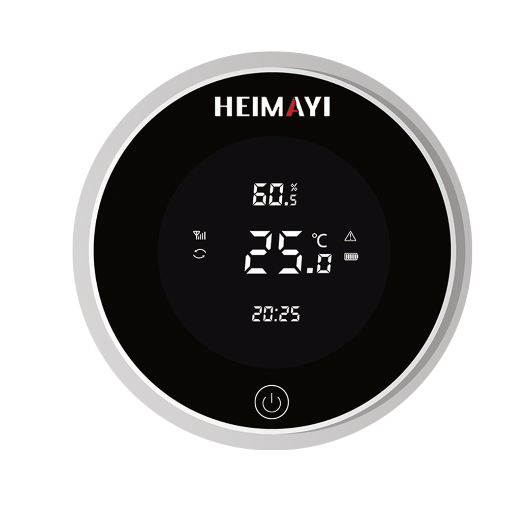
After the battery replacement, ensure that the logger is functioning correctly before returning it to the field. The following steps ensure proper testing of the logger:
Power Verification
Turn on the logger and make sure it powers up without any issues. Check the display or indicator lights to confirm proper functioning. Check the battery status indicator, if available, to ensure it reads either ‘full’ or an appropriate charge level.
Initial Data Logging Test
Set the logger to record a short sample test by simulating the conditions it is supposed to monitor. For example, if the logger tracks temperature, place it in a controlled environment and compare its readings with those from an actual thermometer. A recent study indicates that accuracy testing in a laboratory environment can detect deviations as low as 0.2°C.
Verify Communication
Ensure that the logger can communicate with the associated software, app, or hardware. Connect it to your computer or mobile device and ensure successful data transmission. Modern loggers usually connect via Bluetooth or USB; therefore, update their firmware during this process to maintain the best performance.
Data Accuracy Comparison
Over a fixed time, compare the logged data against reference instrumentation. A recent industry report says that consistent accuracy within ±1% by the reference device indicates proper functioning of the logger. Recalibration may be required if significant discrepancies arise.
Environmental Simulation Test
Wherever possible, simulate the environmental conditions in which the logger will be used (e.g., for humidity, temperature, or pressure). With such tests for the advanced logger, a check on their reaction will ensure that the logger is ready for robust field performance.
After following these steps, the logger is ready for redeployment and will faithfully record accurate data. Proper testing after replacement ensures accurate data collection and prevents complications that could arise from field operations.
Maintaining Your Logger for Optimal Performance
Periodic maintenance and care are crucial for the efficient operation of your logger, ensuring accurate data acquisition. Here are five essential steps for keeping your logger well:
1
Battery Check Regularly
Always keep an eye on your logger’s battery charge and replace it as soon as necessary. Fresh batteries ensure the logger’s uninterrupted operation, particularly during more extended deployments.
2
Cleaning of Sensors
Ensure that sensors are kept clean from debris, dirt, or any other residue that may accumulate over time. Use appropriate cleaning materials and methods, following the manufacturer’s instructions, to maintain careful handling of the sensors.
3
Update Firmware
Always keep an eye out for firmware updates. Manufacturers typically release updates to provide a few improvements in functionality, fix a few bugs, or enhance compatibility with specific software.
4
Calibration
To ensure the accuracy of data, it is crucial to calibrate periodically. Follow the calibration schedule recommended for your logger, because failure to calibrate correctly may cause serious inaccuracy errors.
5
Inspection for Physical Damage
Continue to check your logger for signs of cracking, water ingress, and other physical damage. Timely identification of any wear and tear in your logger can save you from sudden failure during deployment.
Continuing with these steps will ensure the long life of your logger, improve its functionality, and enable the collection of reliable and precise data.
When to Consult Professional Help
If my logger faces problems such as inconsistent reading, inability to calibrate, or severe physical damage I cannot rectify, I resort to professional help. Advanced repairs affecting the logger and critical data collection also call for seeking expert help.
References
- Replacing Batteries on a PEM2 (Rochester Institute of Technology) – A detailed guide from an academic institution on replacing batteries in specific temperature loggers.
- SBE 56 Temperature Logger Manual (University of Maine) – A manual providing instructions for battery replacement and maintenance.
- (PDF) Replacing the Batteries on iButton Thermochron (Academia.edu) – A paper discussing battery replacement for iButton Thermochron data loggers.
Frequently Asked Questions (FAQ)
This comprehensive guide provides all the essential information needed for successful battery replacement in temperature data loggers. Following these procedures ensures accurate data collection and extends the life of your logging equipment.