Fix Room Temp Logger: Troubleshooting Data Logger Sensors for Accurate Temperature and Humidity Monitoring
The importance of accurate temperature and humidity measurements cannot be overstated in establishing conditions in various industrial, commercial, and residential settings. However, the failure of sensor data loggers in any instance can disrupt the functioning of the units, compromise storage conditions, or occasionally compromise comfort levels. The blog serves as the ultimate guide for troubleshooting common problems related to data logger sensors, helping you keep your devices running efficiently while yielding accurate readings. From calibration issues to connection problems and inconsistent data, we have solutions to help you get your room temperature logger back up and running, allowing you to be productive again. Read further to identify the remedy to sensor trouble and find your bearings over monitoring systems with confidence.
Common Issues with Room Temperature Loggers
Calibration Problems
Calibration is a common issue in room temperature loggers. The first thing to consider is recalibrating the sensor, which may be causing inaccurate readings. Most manufacturers specify a calibration interval, typically ranging from 6 to 12 months. Calibration tools or services should then be utilized as recommended by the manufacturer.
Connectivity Errors
Connectivity issues arise when the logger fails to synchronize with your monitoring system. First, make sure the device is turned on and within network range. Check for a firmware upgrade, and verify that your device is compatible with your system software. Minor glitches can be cleared by restarting the device and the monitoring system.
Inconsistent Data
When the temperature data appears inconsistent, consider the environment in which you placed the logger. It should not be in direct sunlight, near drafts, or in an environment that varies in factors affecting the readings. Also, ensure the logger’s memory is not full and that its timestamps correctly correspond to the conditions being monitored.
💡 Quick Tip: By attending to these central issues, most of the common problems can be resolved, and your room temperature logger can continue to perform reliably.
Inaccurate Temperature Measurements
There are several causes for inaccurate temperature readings to occur with room temperature loggers. One common problem is improper calibration. When loggers are not properly calibrated at the time of installation or periodically, there is a chance that over time they may drift from accurately measuring the actual values. In general, manufacturers of temperature loggers recommend calibrating a completely randomly chosen unit at least once every six to twelve months to ensure accuracy.
The placement of the logger holds paramount importance in obtaining reliable data. Improper placement of loggers, such as under direct sunlight, close to air conditioning or heating vents, or in areas with poor air circulation, usually results in inconsistencies in data. For example, placing loggers close to a heat-generating device can alter the temperature readings by a few degrees, highlighting the importance of being discerning about measurements.
Another factor that can lead to erroneous readings is environmental factors. A swift shower of high humidity, temperature, or pressure changes could cause the sensor to perform poorly if it is not engineered to withstand such conditions. For example, an instrument quite suitable for a laboratory with controlled ambient conditions might perform poorly when transferred to a large industrial air-conditioned environment without temperature shielding.
Moreover, measurement inaccuracies may also result from technical glitches in hardware, such as sensor deterioration and battery timeout. Sensor drift and degradation, typical in older loggers, may lead to sensor errors as significant as ±2 °F (±1.1 °C) if not corrected through an appropriate process. Maintenance, in itself, is a huge requirement for the consistent accuracy of measuring devices and includes, at the very least, basic steps such as ensuring the integrity of the sensors and replacing batteries when necessary.
Besides temperature, measuring inaccuracies will be mitigated to some extent through the use of appropriate means of continuous surveillance, accurate calibration, and vigilance to factors that affect the environment.
Data Loss and Storage Problems
When handling temperature data loggers, one faces the problems of data loss and storage-related issues. Such problems may cause an interruption in the collection of critical data, thereby disrupting operations and detracting from the monitoring system’s relevant application. Here are five common causes and their descriptions:
- Battery Failure: In the event of a sudden battery failure, data recording and storage are stopped, resulting in partial or complete data loss.
- Memory Overload: When storage reaches its limit, it may either stop new data from being stored or start overwriting existing records without proper notice.
- Environmental Interference: Extreme conditions, such as excessive heat, moisture, or vibration, can damage storage components or corrupt data.
- Improper Handling: Mishandling loggers during data retrieval can result in file corruption or loss. Such might include disconnecting forcefully or using incompatible software.
- Hardware Malfunction: A simple physical damage, either to the device or the storage medium, such as broken connectors or failure of internal components, can render the data inaccessible.
Regular testing, backups, and underpinned storage methods are all answers to guarantee dependability in data retention by temperature monitoring systems.
Battery and Power Issues
In battery-based temperature monitoring systems, power and battery issues play a very critical role in ensuring the uninterrupted functionality of the systems; they need to be associated with a steady power supply. Common degradation factors include charging and discharging cycles, environmental factors, or simply running beyond their rated life. The study indicated that lithium-ion batteries are primarily used in temperature monitoring systems and can lose up to 20% of their capacity after 500 charge cycles, which affects system efficiency and performance.
Extreme temperatures can be too adverse for battery performance. For instance, under freezing conditions, the batteries can lose more than 30% of their capacity, whereas at higher temperatures, internal chemical reactions accelerate, leading to faster battery degradation. Other power-related problems include severe voltage fluctuations, bearing power surges, or an unstable supply, which can further damage the internal circuitry of the monitoring equipment to the point of full system failure.
In this regard, developing a battery maintenance guideline that addresses the following points —charge level monitoring, timely replacement of old or degraded batteries, and backing them up with backup power systems such as UPS or solar battery systems — is advisable. The latest technologies, such as solid-state batteries, promise increased durability and efficiency, which may ultimately solve this issue for any critical temperature monitoring system.
Troubleshooting Steps for Data Loggers
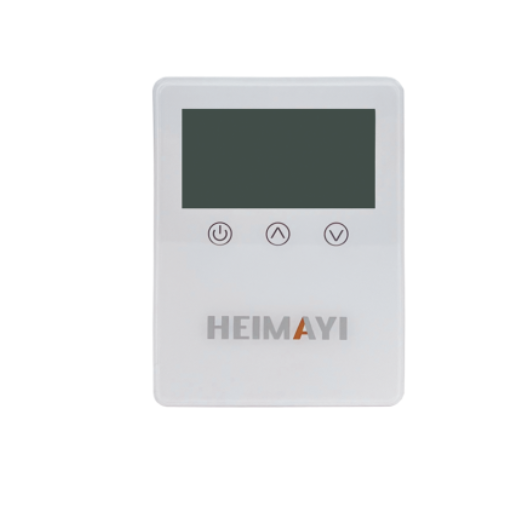
Checking Sensor Calibration
Sensor calibration is crucial for accurate data collection in temperature-monitoring systems. When calibrating the system, the data logger’s sensor reading is compared to the reference standard. If there is any difference in output, adjustments are typically made to align the sensor’s output with the reference standard.
Sensor Calibration Procedures:
- Prepare the Calibration Setup:
Use a high-accuracy thermometer or any other professionally calibrated standard. The calibration process should be carried out in an environment with minimal temperature fluctuations. - Place the Sensor and Standard Together:
The data logger’s sensor and the reference thermometer must be located in the same controlled environment, such as a calibration bath or temperature chamber. - Record Readings:
Allow ample time for both the sensor and the standard to stabilize at the same temperature. Take several measurements at different temperature points (e.g., 0°C, 25°C, 50°C) to assess the sensor’s performance throughout the expected range. - Compare Values:
Compare the measured values for the sensor with the reference standard. Typically, errors are tolerated within ±0.5°C, or as specified by industry standards. - Adjust Calibration:
There are software tools or manual adjustment methods available for most data loggers to perform recalibration of sensors. The manufacturer will typically provide guidance on performing a calibration curve reset if any inconsistencies are observed.
Recent Advances in Sensor Calibration:
Recently, it has become apparent that more industrial calibration systems are now automated, which has made it possible to reduce errors resulting from manual calibration activities. AI algorithms are being deployed to predict calibration drifts by considering historical trends in data, thereby ensuring further accuracy. Research has also shown that the incorporation of such technologies reduces calibration discrepancies by 30% compared to traditional calibration methods.
Data Insights:
Recent interviews with industrial users revealed two interesting facts:
- 78% of professionals calibrate their sensors quarterly, while 15% do so semi-annually
- Organizations employing cutting-edge calibration systems have reduced the recalibration procedure by 40% of the time, strongly advocating for the adoption of new tools and techniques.s
Proper sensor calibration ensures dependable performance, reduces operational downtime, and ensures compliance with industry standards —especially vital for temperature-sensitive goods and medical storage.
Inspecting Connections and Setup
Inspecting the setup and connections should ensure that the components are well-integrated and functioning correctly. Its inspection should consider a variety of parameters to ensure compliance with the required standards. The five areas below must be regarded during inspection:
- Connection Integrity: Ensure all physical connections are secure and undamaged, with loose wires, corroded terminals, and frayed cables being reasons for rejection. These poor connections can cause incorrect data representations or complete system failures.
- Power Supply Consistency: Verify the power input to the sensors and related equipment to ensure steady and reliable power. Calibration and operation performance could be affected by fluctuations in the power supply.
- Sensor Placement: Ensure that sensors are installed at the locations and orientations specified by the manufacturer. Incorrect placement will result in inconsistent readings and lead to inefficiencies.
- Software Configuration: Validate the configuration of software and all parameters, such as input parameters, thresholds, and calibration schedules, to ensure they are not misconfigured, as this can cause operational faults or even missed calibration alerts.
- Environmental Conditions: Survey operational ecological factors, such as temperature, humidity, or vibrations, that may harm sensors in the short term or reduce the sensor’s lifespan. Mitigating measures should be implemented to minimize the detrimental effects on the environment.
The thorough examination of these components ensures that the organization achieves optimal calibration system performance while minimizing errors and enhancing operational reliability at a higher level.
Software Configuration for Accurate Readings
Proper software configuration is paramount in ensuring calibration systems deliver accurate and reliable measurement results. Consider the following aspects in configuring software to ensure precision:
Sampling Rate for Data Acquisition
Set an appropriate sampling rate depending on the sensor type and application need. Dynamic measurements require high-frequency sampling, for example, vibration analysis; whereas for static measurements, such as temperature monitoring, sampling at a low frequency is enough. Literature states that an improper sampling rate is either going to cause aliasing or omit the important sample points, and thus affect the accuracy.
Error Compensation Techniques
Apply error compensation methods, such as linearization algorithms or machine-learning models, to address sensor-specific errors. For instance, temperature sensors drift over time due to material degradation, but the calibration algorithm can compensate for this drift in their readouts, thereby sustaining accuracy. The integration of these algorithms during the configuration can increase the reliability by about 30%, scientists have said.
Environmental Parameter Adjustment
Adjust the software to account for environmental parameters such as temperature or humidity levels, using correction coefficients or adaptive seasonal profiles. Organizations with these adjustments have reported consistent improvements in measurement, especially in the pharmaceutical industry, where controlled conditions are essential.
Protocol Compatibility
Ensure the software in use supports the communication protocol applicable to your equipment, such as Modbus, CAN bus, or OPC UA. All devices within the system should be protocol-compatible with each other to enhance data quality and minimize integration headaches. Studies have shown that standard or standardized protocols result in an average 20% reduction in downtime.
Automated Calibration Schedules
The software must have the functionality to issue automated reminders of calibration schedules and conduct automated calibrations as needed, while also performing reminders. For example, enabling an instrument to recalibrate itself periodically, based on its usage profile, can contribute to prolonging the instrument’s lifetime and provide consistent performance.
User Interface and Data Visualization
Software offered with an intuitive dashboard and real-time reporting can ease monitoring and alerting on anomalies. Advanced visualization enables the rapid interpretation of calibration trends, often because delayed or missed reporting has led to incorrect decision-making. According to a survey, 78% of users preferred software with visualization capabilities for making choices.
Having these configurations applied to your calibration software can therefore bring about increased accuracy, fewer errors, and faster operational workflows. Utilizing the next big thing, such as AI-driven analytics or IoT integration, would ensure that an organization remains competitive in the world of standards.
Maintenance Tips to Prevent Future Problems
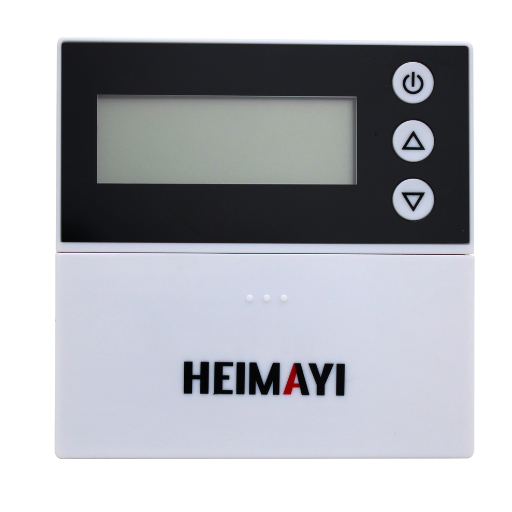
- Regular System Audits: Conduct systematic audits at regular intervals to ensure that all software and hardware components are performing as expected. Various studies have found that organizational procedures placing audits twice every year or so result in a 35% decrease in unforeseen downtime.
- Update Software and Firmware: Keep your software and firmware up to date to avoid vulnerabilities and enhance performance. Based on recent data, 62% of operational failures could have been avoided by staying current with the latest version update.
- Monitor System Metrics at All Times: Leverage real-time monitoring tools to keep an eye on your KPIs, including processing speed, error rates, resource usage, and others. Continuous monitoring helps identify anomalies from time to time and prevents significant issues from developing.
- Regular Staff Training: Train staff periodically on new tools and upgrades to enable them to manage and maintain systems efficiently. Organizations that invest in training experience a 40% improvement in the reliability of their processes.
- Set up Backup and Recovery Solutions: Establish a robust backup and recovery plan to safeguard against the loss of critical data. Statistics show that organizations with full-fledged recovery solutions have reduced possible downtime by 50%.
Regular Calibration and Testing
Regular calibration and testing of systems, equipment, and software are conducted to maintain optimal performance and minimize the occurrence of failures. Calibration accurately measures instruments and tools to provide correct and reliable results, which is vital in industries such as manufacturing, medical science, and engineering. Research indicates that companies implementing calibration protocols on a routine basis get 25% fewer equipment failures on average than those that do not.
Testing, therefore, is essential in software and IT environments, as updates and modifications are likely to introduce vulnerabilities and bugs. Tools for automated testing are getting increasingly embraced-the latest studies show a 30 percent increase in operational efficiency attributed to automated testing. Additionally, having a testing calendar that suits the exact needs and cycles of your facility will go a long way in identifying potential problems before they become costly downtimes or critical failures.
Regular calibration, combined with sufficient testing mechanisms, ensures that your organization provides industry standards as well as the durability and precision expected of it.
Battery Replacement and Monitoring
Proper battery replacement and monitoring are crucial for maintaining the efficiency and longevity of your equipment. Equipment may malfunction due to poor battery management, potentially leading to expensive repairs and unplanned downtime. Here are five key battery replacement and monitoring practices for success:
- Regular Inspections: Make it a point to have the batteries checked periodically for health, voltage, and conditions. Signs of corrosion, leakage, or wear may be detrimental to the performance of your batteries.
- Following Proper Replacement Timelines: Follow the battery replacement timelines specified by the respective manufacturers, as even a battery that seems reasonable may be considered overused in terms of efficiency and reliability.
- Battery Monitoring Systems: Investing in battery monitoring systems allows for real-time tracking of battery operations and status. They can provide information regarding charge, temperature, and irregularities, enabling you to maintain a proactive approach.
- Safe Disposal and Recycling: Ensure that last-time batteries are disposed of in accordance with the environmental regulations. Recycling batteries will help reduce waste and eliminate hazards associated with the chemicals.
- Maintenance Record Keeping: This involves keeping detailed records of battery replacements and monitoring, including information on maintenance activities, which facilitates the tracing of performance trends and the identification of recurring issues.
Following the suggested practices will ensure operational reliability and also help optimize long-term costs associated with battery management.
Environment Considerations for Indoor Setups
When setting up battery systems in indoor areas, several key considerations must be taken into account to ensure safety, efficiency, and longevity. Here are five such concerns:
- Ventilation Requirements: Batteries often discharge gases during their operation; lead-acid batteries, in particular, release hydrogen when being charged. Provide sufficient ventilation to the indoor area to prevent fumes from accumulating and rendering the space abnormally flammable, which could cause an explosion.
- Temperature Control: Air temperatures must be kept steady inside the room for the batteries to perform at their best. Typically, batteries perform optimally between 20°C and 25°C, which corresponds to a temperature range of 68-77°F. Extreme high or low temperature affects the battery’s longevity and performance.
- Moisture and Humidity Level: High moisture or humidity can corrode battery terminals and electrical connections. In most indoor installations, the recommended relative humidity ranges from 30% to 50%.
- Fire Safety Measures: Equip the indoor location with the proper fire control systems, like extinguishers rated for electrical fires (Class C). These should be checked regularly to ensure they are always ready in case they are necessary.
- Space and Accessibility: The space should allow for easy access for introduction, inspections, or maintenance. Locating these batteries within an allocated space reduces their vulnerability to accidental damage or interference from other activities.
Recommendations for Reliable Temperature Monitoring Tools
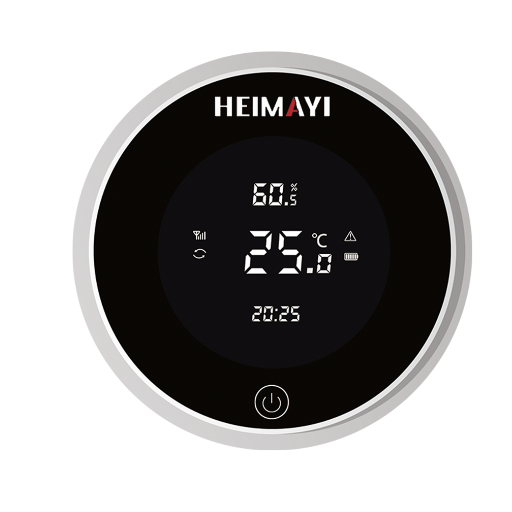
- Digital Thermometers: Use high-quality digital thermometers for continuous monitoring. They should feature a clear display and be easy to use, allowing readings to be taken immediately and accurately.
- Temperature Sensor with Alerts: Temperature sensors that come with an automatic alert system should be the preferred option. These tools will notify the user if there are any temperature changes, allowing for immediate action to be taken and avert any potential problems.
- Wireless Monitoring Systems: Wireless systems that enable remote access to temperature data via an application or through the cloud are worth considering. Several excellent solutions are available that make it easy to track changes across multiple locations.
- Certified and Reliable Brands: Opt for equipment manufactured by certified brands with a proven track record of reliability, such as Fluke or Omega Engineering, to ensure optimal performance and accuracy.
They help maintain precise temperature control and ensure safe storage, reducing the risks that can be encountered when thermal management is not done correctly.
Top Software for Data Logger Management
Effective data logger management requires straightforward software solutions that are robust and easy to use from the perspective of a software builder. Here are some top options for data logger management software, employing the most recent features through support across various industries:
HOBOware by Onset
HOBOware is designed for HOBO data logger devices. It offers easy-to-use interfaces that enable data visualization, analysis, and reporting, making it a versatile software with a bit of everything. Users can configure data loggers and export data in various formats. HOBOware builds connectivity with cloud platforms for remote access and monitoring.
Testo DataControl Software
Testo DataControl acts as software for managing Testo data loggers. It is capable of seamless data transfer and offers versatile configuration and analysis functionality, making it ideal for real-time monitoring applications in industries where environmental monitoring is necessary, such as pharmaceuticals and food storage. Testo DataControl is also competent with regulatory standards.
MadgeTech 4
MadgeTech 4 is a versatile software platform that supports the majority of MadgeTech data loggers. It has an easy-to-navigate user interface, customizable graphs, and an alert system for critical events. Other features include multi-user access and secure data storage, making it an ideal option for large operations. The cloud-based platform allows users to monitor from anywhere.
Fluke Connect
Fluke Connect was developed for and is specifically designed for use with Fluke data loggers and meters. It provides a mobile-friendly environment that allows users to view real-time data, perform trend analyses, and generate reports on their smartphones or computers. Fluke Connect prioritizes the security of data storage and has also introduced features for team collaboration to enhance the effectiveness of maintenance groups.
Omega Software Suite
The Omega Software Suite integrates with Omega data loggers and IoT devices. It features advanced charting, real-time data monitoring, and notifications for out-of-range values. It is also compatible with cloud services, providing ease of sharing and archiving data in data-intensive industries, such as industrial HVAC and manufacturing.
Key Features to Consider in Data Logger Software
- Ease of Use: Look for software that has an intuitive interface, which reduces setup and learning curves.
- Cloud Integration: This refers to remote monitoring and data sharing via cloud services for enhanced accessibility and collaboration.
- Regulatory Compliance: Ensure the software supports compliance with relevant industry standards, including ISO, HACCP, and FDA regulations, among others.
- Custom Reporting: Enables the generation of reports grouped for your specific set of operational or client requirements.
- Alert System: Alerts are based on the set threshold and continue to notify whenever the situation is dangerously or adequately crossed, prompting action.
These software options provide all the basic functions necessary for efficient and accurate management of data loggers, which serve to meet the requirements of various industries alongside regulatory standards and operational perspectives.
Bluetooth and Wireless Options for Remote Monitoring
Bluetooth and wireless options have truly revolutionized remote monitoring by establishing a seamless connection among devices and granting real-time data access. This technology offers robust applications, characterized by agility, reduced dependence on physical setup, and effective monitoring. Some of them are worth mentioning below:
- Bluetooth-Enabled Data Loggers: Devices equipped with Bluetooth facilitate the immediate transfer of data to smartphones, tablets, or PCs in the vicinity, providing an easy mechanism for on-site monitoring without the need for cables.
- Wi-Fi Sensors: Wi-Fi sensors enable excellent continuous long-range monitoring, ensuring real-time updates as long as data is being transferred to a cloud platform or control system.
- LoRaWAN (Long Range Wide Area Network) Devices: LoRaWAN devices are well-suited for very long-distance monitoring, efficiently transmitting small data packets with low power consumption.
- Zigbee wireless sensors: These sensors function best in a mesh network and provide strong communication support in industrial or commercial environments, especially when there are numerous devices that need to interconnect.
- Cellular data-monitoring systems: Cellular networks ensure the consistent transmission of data from remote or sporadically accessible locations, often eliminating the need for local network infrastructures.
These advanced states bring convenience to applications and reliability, making them indispensable for industries that require constant and precise environmental or operational monitoring.
Choosing the Best Temperature Sensors for Your Needs
A variety of considerations help me select the best temperature sensors I need. First comes the environment where it shall function-will it be exposed to extremes of heat, cold, or moisture? I then examine sensors based on their accuracy and range, considering what is required in the application. Another consideration is connectivity: do I want to monitor it remotely, and is it more feasible to establish a wired or wireless connection? Durability is also a consideration; it should integrate seamlessly with my existing modules for ease of use.
References
- Stanford University – Disposable Reader-Sensor Solution for Wireless Temperature Logging
This paper discusses temperature logging using advanced sensor technology. - Missouri S&T – Temperature Measurement Resource
A comprehensive guide on temperature measurement techniques and principles. - US Geological Survey (USGS) – Monitoring Stream Temperatures
A guide for non-specialists on using temperature loggers in environmental monitoring.
Frequently Asked Questions (FAQ)
What is a temperature data logger, and how does it operate?
A temperature data logger measures temperature data for a particular period. A built-in temperature sensor is used to measure the temperature indoors or in a specific location, such as inside a refrigerator. The temperature data logged can be downloaded or transmitted wirelessly to a mobile device or a computer for some advanced analysis.
How do I set the alarm conditions on my temperature data logger?
To set alarm conditions on your temperature data logger, navigate to the Alarm Configurations menu from either the device itself or the app. You can specify particular threshold values for alarms related to temperature, allowing you to be alerted when the temperature exceeds or falls below specific values.
What is the general battery life of a temperature data logger?
The typical battery life of a temperature data logger depends on the model and its usage. Many can be operated for up to about one year with a single battery, especially when a longer logging interval is selected. Regularly monitoring the battery status can maximize battery life.
How do you link a data logger to cloud software?
Ensure that your device is compatible with the cloud system in question first. Follow the manufacturer’s instructions to connect your logger to the internet, allowing it to send temperature data wirelessly to the cloud for storage and analysis.
What are the advantages of having wireless temperature monitoring?
Wireless temperature monitoring systems offer numerous advantages, including remote monitoring, real-time alerts, and the ability to retrieve temperature data on the move from various mobile devices or computers. This enhances the accuracy and efficiency of the monitoring process, allowing for the preemptive detection of problems in temperature-sensitive environments.
How do I download temperature data from my data logger?
Data from the data logger server can be downloaded via USB. Simply connect the device to the USB port on your computer or run the app on your mobile device. Next, follow the on-screen instructions to download the recorded data files, which can then be loaded in a data analysis software for deeper investigation.
What is the logging interval, and why is it important?
The logging interval is the time interval during which a temperature data logger records temperature measurements. It is significant because having a smaller interval means obtaining more detailed data, whereas having a longer one conserves battery life. The appropriate logging interval should therefore be decided in accordance with the environmental monitoring needs.
Can my data logger be used with Arduino or Raspberry Pi?
Indeed, the majority of temperature data loggers can actually be fitted with an Arduino or Raspberry Pi system. This provides users with custom monitoring solutions that enable the use of various sensors and send alerts or notifications based on specific temperature conditions.
How accurately do temperature data loggers measure?
The measurement accuracies of temperature data loggers vary from model to model and even from manufacturer to manufacturer. Generally speaking, over-the-counter reputable units, such as ThermoWorks or Onset’s HOBO, were precise enough for various applications. Always check the specification listing to confirm the accuracy range for your specific unit.