MQTT to GIS Integration Middleware That Does Not Lose Data
The uplink will drop. Not might. Will. And when it does, the only thing standing between your sensor fleet and four hours of missing readings is the MQTT to GIS integration middleware you built in the middle of the pipeline.
Dana runs integration for a district of 380 smart manhole covers. The gateway’s backhaul failed at 02:00 on a Tuesday. In one version of that morning, every reading from the next four hours was buffered at the edge and replayed in full when the link returned. In the other, those readings do not exist in the database the maintenance crew opens at 07:00, including the three covers that tripped at 03:40.
If you can run a broker and write a script, you already have the pieces. The hard part isn’t the plumbing. It’s what happens under load, during an outage, and on the second Tuesday after go-live.
This guide covers the four decisions that determine whether MQTT to GIS integration middleware works: the topic taxonomy, the broker, the payload format, and the reliability patterns. You will get the tables and thresholds to act on, not just the theory.
What MQTT-to-GIS Middleware Actually Is (And Where It Sits)

MQTT-to-GIS middleware is the software layer between an MQTT broker and a spatial data store. It subscribes to telemetry topics, validates and normalises each message, assigns or checks geometry, and writes the result into PostGIS or another GIS sink, following a defined retry and buffering policy.
That definition is neutral on purpose. The middleware can be fifty lines of Python or a thousand lines of Node-RED flows. What matters is that it exists as its own component, because the broker and the GIS both refuse to do its job. An MQTT-to-Postgres bridge with no separate middleware layer is a bridge you will rewrite the moment either side changes.
The four hops: device, broker, middleware, GIS
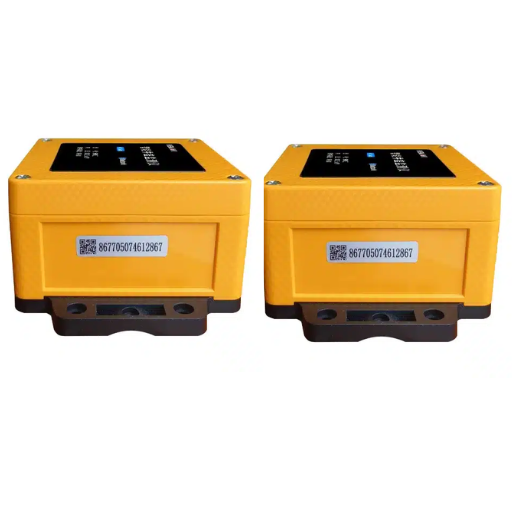
- The device produces the reading and publishes it. In a manhole deployment this is a cover, or a field aggregator such as an IoT Data Collection T erminal that gathers several sensors over RS485 or M-Bus and publishes one message.
- The broker receives the publish and forwards it to subscribers. It routes; it does not file.
- The middleware subscribes, transforms, and persists.
- The GIS reads the persisted rows and renders them on a map. Our guide to GIS integration for smart manhole monitoring covers that chain end to end; this article zooms into the third hop.
Why the middleware exists
Three jobs the broker and the GIS will not do for you.
- Decoupling. The broker knows nothing about your schema, and the GIS knows nothing about MQTT. The middleware lets you change either side without touching the other.
- Normalisation. Units, timestamps, and coordinates arrive inconsistent. Field devices report GPS positions in WGS84; most municipal systems work in a local projected CRS. The middleware is the last place to fix that before it becomes permanent.
- Throttling. A thousand devices publishing at once is a burst the database should not absorb directly.
What the middleware is not
It’s not a broker, so it doesn’t route. It’s not a database, so it doesn’t own the history. It’s not a GIS, so it doesn’t render. Confusing those roles is why teams try to give Mosquitto a retention policy, or ask PostGIS to hold a subscription open.
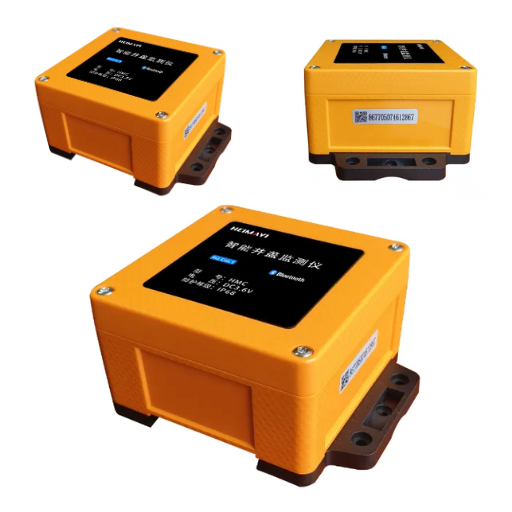
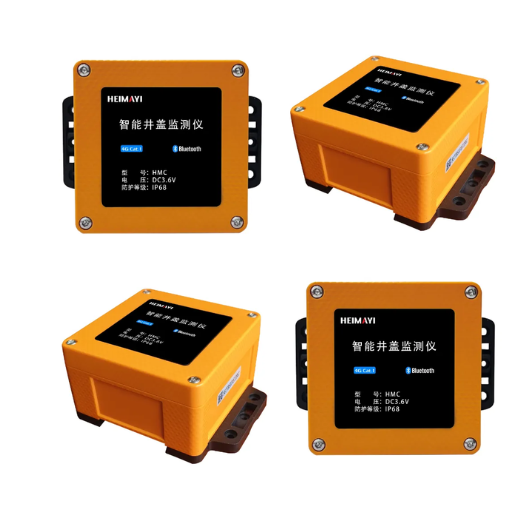
If you are choosing the field hardware alongside the pipeline, Black Ant’s smart manhole covers publish documented JSON over MQTT, so the middleware described here consumes them without a translation layer.
MQTT Topic Design Best Practices for a Sensor Fleet
This is the section our ArcGIS Velocity guide points to for topic design, and it is where most deployments make a decision they cannot cheaply reverse. The topic hierarchy is the first thing every subscriber sees, and it appears in every ACL, every subscription filter, and every dashboard. Getting it wrong isn’t a bug you fix; it’s a migration you perform.
Why one flat topic collapses at city scale
A single topic like manholes/telemetry works in a demo and fails in a city. Every subscriber receives every message and filters in code. Access control becomes all-or-nothing, so you cannot grant a district engineer read access to one district without granting it to all of them.
The fix is a principle: the topic names the asset, the payload carries the readings. The topic answers which sensor; the payload answers what it measured.
Six rules for a municipal sensor taxonomy
- Order the levels by how you slice the data.
city/manholes/{district}/{asset_id}/telemetrynarrows left to right, so a district subscriber can request one branch. - Keep the depth near four levels. Brokers allow far more, but every extra level multiplies ACL complexity.
- Never create a topic per measurement.
telemetry/tiltandtelemetry/waterdouble your topic count and your ACLs. Send one message carrying all fields. - Use lowercase, stable identifiers.
MH-0472, not a display name someone will later rename. - Put no personal or sensitive data in the path. Topics show up in logs, dashboards, and broker metrics.
- Separate uplink from downlink. Even for a single flow,
telemetryandcommandkeep an accidental loop from forming.
A workable tree looks like this:
city/manholes/{district}/{asset_id}/telemetry   # device -> cloud
city/manholes/{district}/{asset_id}/status      # LWT, battery, fault
city/manholes/{district}/{asset_id}/command     # cloud -> device
Wildcards for subscribers, ACLs for security
The + wildcard matches exactly one level, and # matches everything below it. Both must occupy an entire level, and # must be last. Two operational rules matter more than the syntax: wildcards are for subscribing, never for publishing; and # belongs to administrators only, because a rogue subscriber on # forces the broker to route every message to it. The EMQX guide to MQTT topics and wildcards covers the matching rules in full.
A subscriber that wants every cover in the northern district uses one single-level wildcard: city/manholes/north/+/telemetry.
Access control should mirror the tree. A cover publishes only to its own telemetry subtree and subscribes only to its own command topic. A district gateway gets a district prefix; the cloud bridge gets a scoped ingest wildcard and nothing else.
# Illustrative Mosquitto ACL: each device is scoped to its own subtree
pattern write city/manholes/%u/telemetry
pattern read  city/manholes/%u/command

user cloud-bridge
topic read city/manholes/+/telemetry
topic read city/manholes/+/status
Deny by default, then grant the bridge only the paths it genuinely consumes.
When you actually need GeoMQTT (and when you do not)
A thorough engineer eventually finds GeoMQTT, a research extension of MQTT that adds a timestamp and a geometry to each message. A GeoEvent carries (timestamp, geometry, eventname, payload), and a GeoSubscription can combine a topic filter, a temporal filter, and a spatial filter. The broker forwards a message only when all three match.
That’s genuinely useful for some problems. In the EarlyDike coastal monitoring deployment, a reading only mattered once a storm surge had reached that stretch of coast, and spatial filtering at the broker removed almost all irrelevant traffic.
For a municipal manhole fleet, you almost never need it. Your sensors are stationary, so the spatial filter mostly restates what the topic path already encodes. Assign geometry in the middleware, filter in PostGIS, and keep a standard broker any integrator can maintain. Use it only when sensors move, such as vehicles or drones, or when the spatial filter removes an order of magnitude of traffic.
MQTT Broker Comparison: Mosquitto, EMQX, or HiveMQ

The broker choice is where the most money is spent for the least benefit. Almost every municipal fleet runs a broker far larger than its workload.
What the choice really turns on
Three things decide it: the number of concurrent clients, whether you need more than one broker for failover, and the throughput you need at QoS 1 and 2.
Mosquitto is small, single-threaded, and reliable. It’s open source and runs comfortably on a modest virtual machine. The trade is that it does not cluster natively, so failover means external load balancing and real work. Reported practical ceilings sit around 1,000 to 5,000 concurrent clients, and it saturates earlier than multi-threaded brokers under high connection load.
EMQX clusters from day one through distributed routing, which makes it the natural choice when you need horizontal scale. EMQX reports figures in the range of 100 million concurrent connections across a cluster. Treat vendor headline numbers as headline numbers.
HiveMQ is Java-based and uses shared-nothing clustering. It showed fewer delay variations than the alternatives in one study, at the cost of a larger memory footprint.
The honest device-count thresholds
| Concurrent devices | Recommended broker | Why |
|---|---|---|
| Up to about 1,000 | Mosquitto on a small VPS | A single node handles it comfortably. Clustering is cost without benefit. |
| 1,000 to 5,000 | Mosquitto with a tuning pass, or EMQX single node | Check whether connections or messages are the bottleneck before you spend. |
| 5,000 to 50,000 | EMQX cluster | You need horizontal scale and native clustering. |
| Above 50,000, or multi-region | EMQX or HiveMQ cluster | Shared-nothing clustering, with at least three nodes for failover. |
If your fleet is a few hundred covers publishing every sixty seconds, the table’s answer is the top row. Buying a clustered broker for four hundred stationary sensors is spending money to solve a problem you do not have.
Backpressure, batching, and the thundering herd
When the broker restarts, every client reconnects at once. Fixed retry logic makes them retry in lockstep forever; exponential backoff with jitter spreads the load instead of delivering one spike.
On the consumer side, a slow middleware must not be allowed to make the broker queue without limit. Batch writes to the database, cap the in-flight window, and let the broker apply backpressure rather than buffering gigabytes in memory. If you would rather not build that plumbing yourself, our engineering team scopes these integrations against the field hardware we manufacture.
What to monitor
Four metrics catch almost every incident before a user notices.
| Metric | What it catches |
|---|---|
| Consumer lag | The gap between what the broker published and what the middleware has written. |
| Publish errors and auth failures | An ACL or certificate problem. |
| Connection count | A tier mismatch against what you designed for. |
| Mass Last Will (LWT) events | A broker restart, expired certificate, or DNS change rather than a field failure. |
If your tender names a standard, the OGC SensorThings API is the one municipal specifications increasingly cite. Treat it as a sink behind the middleware, not a replacement for it.
MQTT vs Sparkplug B: Choosing a Payload Format
Plain MQTT hands you a topic and an opaque byte payload, whether that is raw JSON, GeoJSON from a gateway, or Sparkplug B’s Protobuf. How you shape that payload decides how much your middleware has to guess.
Raw JSON, and what it costs you
Raw JSON is the default because it’s readable and easy to debug during commissioning. It’s also verbose, and it reinvents its own conventions on every project: field names, units, and timestamp formats differ between vendors, so the middleware ends up carrying a translation table per device type.
What Sparkplug B adds, and what it takes
Sparkplug B answers that inconsistency with a fixed topic namespace, spBv1.0/group_id/message_type/edge_node_id/device_id, a compact binary Protobuf payload typically 60 to 75 percent smaller than the equivalent JSON, and a lifecycle of birth and death messages (NBIRTH/DBIRTH, NDEATH/DDEATH). A retained birth message means the middleware knows a device’s metric set without waiting for the next reading.
The trade is per-metric subscription. A device data message carries every changed metric on one topic, so a consumer that wants only water level must decode the whole thing. For a constrained subscriber, plain MQTT with separate topics can be the better fit.
| Raw JSON over MQTT | Sparkplug B | |
|---|---|---|
| Payload size | Verbose | 60 to 75 percent smaller (Protobuf) |
| Field naming | Invented per project | Fixed namespace and metric names |
| State on join | Unknown until the next message | Birth message gives full state |
| Per-metric subscribe | Yes | No, decode the whole payload |
| Best for | Small fleets, custom sinks, readable debugging | Large fleets, mixed vendors, standard lifecycle |
The recommendable pattern is a hybrid: Sparkplug B on the device-to-platform hop, where many vendors must agree, and a custom payload on the platform-to-business hop, where alerts and work orders live. Document the boundary, and never publish the same data point through both paths. Two “seemingly correct” sources are worse than one.
Node-RED vs Python IoT Middleware

Both options work. They fail differently, and the choice usually comes down to who will own the code in two years.
Node-RED is a flow-based visual tool on Node.js. Drag an MQTT-in node, a function node, and a PostgreSQL node, wire them together, and you have a working bridge. For simple flows it’s the fastest path from nothing to a message in a table.
Its limits are worth stating plainly. Run it on a workstation rather than a server, and data is written only while that machine is on. A mismatched coordinate reference system will load points outside the map extent, stored but shifted from their true position. None of that is Node-RED’s fault; it’s what happens when a visual tool is treated as production infrastructure without the operational layer around it.
A Python bridge from MQTT to Postgres, built on paho-mqtt and psycopg2, takes more work to write and is far easier to make correct under load. You control the retry logic, the batching, the idempotency, and the error handling explicitly, which is exactly what the next two sections require. We ship a minimal, runnable version in our QGIS, PostGIS and GeoServer guide, in about fifty lines; this article deliberately does not repeat it.
| Situation | Choose | Reason |
|---|---|---|
| Prototype, demo, or one-off integration | Node-RED | Fastest path to a visible result |
| A legacy system already on Node-RED | Node-RED | Stay consistent with what the team supports |
| Production with hundreds of devices | Python | Explicit retry, batching, and idempotency |
| Strict deduplication requirement | Python | The upsert and replay logic need real code |
| No developer on staff long term | Node-RED | Maintainable by an integrator, not only a programmer |
| Edge buffering and backpressure | Python | The control the buffer policy demands |
Making MQTT Middleware Idempotent
A duplicate reading is not a bug. It is a documented feature of the protocol, and your middleware has to absorb it.
QoS 1 means at-least-once
QoS 0 is at most once, so a message may be lost with no confirmation. QoS 1 is at least once, so the sender retransmits until acknowledged and duplicates are explicitly possible. QoS 2 is exactly once, at the cost of extra round trips.
QoS 1 is the right default for telemetry, and it’s tempting to “fix” duplicates by moving to QoS 2. Don’t. QoS 2 costs round trips, scales worse, and doesn’t make your GIS transactional; the database can still see the same write twice. The correct answer is QoS 1 plus an idempotent consumer.
The MQTT specification gives you only two tools for reasoning about duplicates: the DUP flag, set on redelivery, and a 16-bit Packet Identifier. That’s the whole toolkit. Retransmission happens only when a client reconnects with a persistent session, and the retry interval isn’t specified by the protocol. The only reliable defence sits on your side of the wire.
Wei found this the hard way. His middleware ran clean for six weeks, then a broker restart on a Sunday replayed an afternoon of unacknowledged publishes. His history table ended up with roughly one row in nine duplicated. The fix took twenty minutes once he saw it, and it should have been there from the first deploy.
Idempotency key versus sequence number
A sequence number per device lets you drop anything at or below the last value seen, but it ages badly: it needs an initialisation handshake, it has to survive reboots and resets, and a delayed packet can be mistaken for a new one after a counter wraps.
An idempotency key is more durable. Derive a key from the message content and the device identity, for example sensor_id plus observed_at, and let the database reject or absorb repeats. Because the key is derived rather than assigned, it survives reconnects, restarts, and reordering with no handshake.
The upsert that makes replay harmless
In PostGIS this is INSERT ... ON CONFLICT with a guard on the update. It is the difference between an MQTT-to-Postgres pipeline that survives a replay and one that quietly doubles its rows.
INSERT INTO observations
    (sensor_id, observed_at, water_mm, battery_v)
VALUES
    (%(sensor_id)s, %(observed_at)s, %(water_mm)s, %(battery_v)s)
ON CONFLICT (sensor_id, observed_at) DO UPDATE
SET water_mm  = EXCLUDED.water_mm,
    battery_v = EXCLUDED.battery_v
WHERE observations.water_mm  IS DISTINCT FROM EXCLUDED.water_mm
   OR observations.battery_v IS DISTINCT FROM EXCLUDED.battery_v;
Three details carry the weight. The primary key (sensor_id, observed_at) is the idempotency key, so a replayed message conflicts instead of appending. The IS DISTINCT FROM guard makes the update a no-op when nothing changed, so a replay does not churn the row or fire triggers. And because the conflict target is a natural key, late-arriving and out-of-order readings land in the right place instead of at the end.
Run it against a real instance before you trust it: a repeated upsert of identical rows should report INSERT 0 0. The schema it writes into is defined in our PostGIS bridge guide.
MQTT Store and Forward: Surviving the Outage

This is where the opening scenario is decided.
MQTT is transport, not storage. It deliberately provides no long-term retention, no replay, and no ordered stream that survives a broker restart. When the connection is gone, the readings are gone unless something local kept them. That’s the most important architectural fact here: it decides whether you built a monitoring system or one with a hole in it exactly where the interesting events are.
The 45-second blind spot
There is a window before anyone notices the link is down. A broker detects a dead client through the MQTT Keep Alive mechanism, and detection can take up to 1.5 times the Keep Alive interval. A 30-second Keep Alive therefore means up to 45 seconds of data can be lost before the client is even marked offline; a 5-second interval cuts that to about 8 seconds. Setting Keep Alive to 0 disables detection entirely and should never be used in production.
In-memory, disk-backed, or hybrid
There are three places to put the buffer, and they fail in different ways.
| Buffer type | Survives a restart? | Trade |
|---|---|---|
| In-memory FIFO | No | Fast and simple, but lost on restart, on a config change, and on power loss. |
| Disk-backed | Yes | Persists across outages; slower, and flash wear is a real concern. |
| Hybrid | Yes | A RAM ring buffer with flash-based circular logging; on constrained hardware this is a fault-tolerant filesystem such as LittleFS, with wear levelling and recovery to a last-known-good state. |
Two parameters and one policy matter. The buffer should forward in batches, not in one giant flush; representative defaults are a flush of around 10,000 entries or a flush period of a few hundred milliseconds, whichever comes first. And you must choose an overflow policy explicitly: overwrite the oldest entries, drop new ones and signal the loss, or apply backpressure to the publisher. A buffer with no stated overflow policy will eventually choose for you, silently.
Size it by calculation, not guess: sample_rate × bytes_per_sample × channels × retention_seconds, plus 10 to 30 percent overhead. This is the honest home for Black Ant’s edge data acquisition computer, whose documented function is exactly this, buffering telemetry locally and forwarding it when the backhaul returns.
What good looks like, in numbers
The research here is unusually concrete. A hybrid edge store-and-forward study reported 94.3 percent delivery reliability, cutting data loss from 16 messages to 2 and recovering 83.3 percent of the messages generated during downtime. A separate field prototype using MQTT with buffering, QoS 1, and backoff reported at least 95 percent reliability under irregular coverage, reconnecting after an LTE loss in under 20 seconds with 0 to 2 messages lost.
“Buffer the data” is advice. “83 percent of outage messages recovered” is a line item you can take to a budget holder.
Conclusion
MQTT to GIS integration middleware is where deployments succeed or quietly fail. The broker gets the data off the device, and the GIS puts it on a map, but the layer between them decides whether the data is complete.
- Design the topic taxonomy first, because everything else depends on it.
- Choose the smallest broker that fits your device count. For most municipal fleets, that is Mosquitto.
- Pick the payload format deliberately, using Sparkplug B only where vendor consistency earns its constraint.
- Make the consumer idempotent, because QoS 1 guarantees at-least-once and duplicates are a feature.
- Buffer at the edge, with an explicit overflow policy, because MQTT is transport and not storage.
The pattern isn’t theoretical. Hamburg’s Urban Data Platform prototype is a Python connector that writes into a FROST-Server through the OGC SensorThings API. Orlová in the Czech Republic runs its map portal on the same open-source stack and plans to integrate more than 200 sensors.
If you are specifying the field hardware alongside the pipeline, Black Ant manufactures the layer that feeds it, from the smart manhole cover itself through the IoT data collection terminal to the edge acquisition computer. Every device publishes documented JSON over MQTT, Modbus, or M-Bus, so the middleware you write for one sensor set works for the rest. To gain a deeper understanding of the OGC SensorThings API for IoT Integration: A Vendor-Neutral Telemetry Guide, please refer to our accompanying guide.
Request the integration datasheet package or talk to our engineering team about your project’s sensor mix.