IoT Infrastructure Sensor IP68 Outdoor Installation Guide: Field-Proven Steps
An IP68 rating is a promise written on a spec sheet. Whether that promise survives the first rainy season depends almost entirely on how the sensor is installed. And the failures that cut short an IoT infrastructure sensor IP68 outdoor installation are almost never the ones the certificate tested.
Think about the last station that went dark in your network. The board corroded, the battery drained, or the signal vanished. Trace each failure to its root and you’ll find the same suspects. A cable gland that was never torqued. A cover gasket that picked up a speck of grit. A drip loop that was skipped.
Or condensation that quietly accumulated inside a “sealed” box until the PCB shorted.
This guide gives you the full procedure Black Ant’s own deployment teams use on municipal projects, from site selection and pole mounting to cable glands, condensation control, solar and battery power, antenna positioning, surge protection, commissioning, and the validation checklist that proves the rating still holds after the crew has packed up and left.
When a Gulf-city utility rolled out twelve “IP68” monitoring stations before the 2023 rainy season, the spec sheet looked bulletproof. Eight months later, nine of the twelve were dead or drifting. Engineer Dana Al-Rashidi stripped one failed unit and found the same story she would see on every board that came back: a gland installed finger-tight, a breather path sealed shut, and a sealed enclosure that had breathed humid air all season until the moisture found the electronics. The rating was never the problem. The installation was.
Want the whole picture before you touch a pole? Start with our environmental monitoring station smart city guide → which covers which rating to specify and why.
Installing an Outdoor IoT Sensor in Eight Phases
Field installation of an IP68-rated IoT infrastructure sensor follows eight phases. Treat it as a sequence, not a menu. Skipping phase four to save an hour usually costs a return visit in phase nine.
- Site survey. Verify wireless signal, solar exposure, and representative siting before anything is shipped.
- Site preparation. Prepare the pole or foundation and set up safe working conditions.
- Mounting. Secure the station to the pole, mast, wall, or ground with proper levelling.
- Cable entry. Route cables through IP68-rated glands, torque to spec, and add drip loops.
- Sealing. Seat the cover gasket, blank unused entries, and install a breather vent and desiccant.
- Power and network. Size solar and battery by power budget, connect, and activate NB-IoT, LoRaWAN, or 4G.
- Commissioning. Register on the platform, map GPS coordinates, set thresholds, and run functional tests.
- IP68 validation. Work the checklist to verify the rating holds, then sign off.
What IP68 Actually Means for Outdoor Sensors
Before you install anything, be precise about what the rating does and does not guarantee. IP codes come from IEC 60529, the international standard for the degrees of protection provided by enclosures. The first digit is dust, the second is water. IP68 means fully dust-tight and protected against continuous immersion at a depth and duration the manufacturer specifies.
That last phrase matters more than most buyers realize. IEC 60529 defines the rating system, but the manufacturer defines the test envelope. “IP68” alone tells you the device was submerged in a test. It does not tell you how deep or for how long.
IP Ratings: IP65 vs IP66 vs IP67 vs IP68
| Rating | Water protection (IEC 60529) | Test conditions | When to specify |
|---|---|---|---|
| IP65 | Low-pressure water jets from all directions | 6.3 mm nozzle, 1 minute | Sheltered or semi-covered installs, such as under eaves or radiation shields |
| IP66 | Powerful water jets | 12.5 mm nozzle | Fully exposed installs with heavy rain or washdown |
| IP67 | Temporary immersion | 1 m depth, 30 minutes | Practical minimum for fully exposed fixed outdoor nodes on poles or rooftops |
| IP68 | Continuous immersion at a manufacturer-specified depth | Typically 1.5 to 3 m; some devices tested at 7 m for 14 days | Submerged, underground, and marine deployments |
IP67 is the practical minimum for a fixed pole-mounted station. IP68 is required when a device may be submerged, which is exactly the case for Black Ant’s IP68 smart manhole covers that sit in flooded vaults. For most above-ground environmental stations, IP68 is overkill. Specify the rating that matches the worst condition the device can honestly encounter.
The Two Things an IP68 Certificate Doesn’t Test
An IP68 certificate proves external water ingress is blocked under controlled test conditions. It does not prove two things that matter enormously in the field.
First, internal condensation. A sealed enclosure traps humid air at installation. As the sun heats the box, the air expands. As the night cools it, the air contracts, creating a pressure differential that pulls moisture in through micro-leaks.
Over weeks of temperature cycling, that moisture reaches the dew point and deposits on the PCB. A higher IP rating does not prevent this. It can make it worse, because a tighter box has fewer paths for that humidity to escape.
Second, cable entries. Glands carry their own IP rating, separate from the enclosure. The system is only as waterproof as its weakest component. You can buy the best IP68 enclosure on the market and turn it into an IP54 assembly with one undersized gland.
Test Conditions Vary by Manufacturer
Always read the datasheet’s stated submersion conditions, not just the “IP68” label. ABB tests its FEX620 remote-mount transmitter for continuous submersion at 7 m for 14 days per EN 60529, with some designs to 10 m. Other manufacturers test to 1.5 to 3 m, and some to just 7 days. If your deployment involves standing water deeper than the datasheet’s envelope, the rating does not protect you.
Site Selection and Siting Rules for Accurate Data
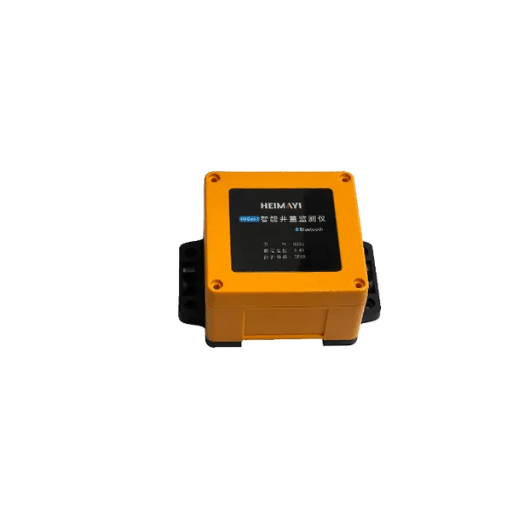
Data quality starts at siting, not at the sensor. A perfectly installed station on the wrong corner produces data nobody can trust.
Site Selection Checklist
Work through these rules before you commit to a location.
- Choose a spot representative of the area you are measuring, not the easiest pole to reach.
- Keep the inlet open to all wind directions.
- Stay at least 6 m (20 ft) from obvious pollution sources such as exhaust vents, generators, and grills.
- Confirm the site is secure but accessible for maintenance.
- Check for future obstructions, including trees that will grow and buildings that are planned.
Mounting Height and Airflow
Mount environmental sensors at 3 to 5 m (10 to 16 ft) from street level to measure general population exposure. Standard practice, per the EANET technical manual for hybrid air-quality monitoring, uses 3 to 6 m poles installed vertically with a spirit level.
Airflow is non-negotiable for air-quality inlets. Aim for more than 270 degrees of free airflow around the inlet, and never less than 180 degrees. Face the inlet down and keep it unobstructed. Shield the enclosure from direct sun to limit internal heat build-up, which skews temperature readings and worsens condensation. For the sensor-selection decisions behind these siting rules, see our outdoor IoT air quality monitoring station guide →.
Pre-Installation Signal and Power Survey
Do the survey before the crew arrives. Verify NB-IoT, LoRaWAN, or 4G signal with a handheld tester at the proposed mounting height, and identify dead zones early. A fully charged node with solar needs at least 1 hour of direct sun per day to stay alive through normal operation. Confirm solar exposure at the exact site. For cellular nodes, purchase a SIM with at least 1 GB of data per month to avoid throttling mid-season.
Mounting the Sensor: Pole, Mast, Wall, and Ground
The mounting method you choose sets the stage for everything that follows. Do it carefully the first time.
Pole and Mast Mounting
Use 304 stainless steel U-bolt pole brackets, sized to the pole diameter. For a standard 50.8 mm (2 inch) pole, an M6 by 35 mm stainless U-bolt is the common choice. Level the station vertically with a spirit level, then lock the bolts with locking nuts so vibration cannot loosen them. Leave enough cable clearance at the gland so the cable can be dressed without sharp bends.
Wall and Structure Mounting
Anchor the support bracket into the structure with fixings rated for the wall type and the total load. Mount on the upwind side of the building, and avoid re-entrant corners that trap pollution and still air. A wall-mounted node with a solar panel can exceed 2 kg (4.5 lb), so verify the load capacity of the surface before drilling.
Ground and Submersion Deployments
Ground and submersion deployments are where IP68 earns its keep. Flood sensors go into drainage channels. Gateways go into vaults that flood. The post-mounting submersion depth must stay inside the datasheet’s IP68 envelope, not merely the test lab’s. For the underground civil-works procedure, including confined-space entry and cover load classes, see our smart manhole cover installation guide →. For the municipal flood-monitoring application in full, see our sewer flood prevention IoT monitoring guide →.
Mounting Best Practices
Raise the enclosure above standing water and keep it shaded where possible. Design for easy removal so a maintenance crew can swap a sensor without de-rigging the whole station. Record GPS coordinates at installation and log them against the asset ID. Future you will need them.
Cable Entry and Sealing: Why the Gland Is the Weak Point
Cable entry is the number one field failure point in outdoor IoT installations. Glands carry their own IP rating, and the whole assembly is only as waterproof as its weakest component. This is the step where most installations are won or lost.
Choose Glands Rated to Match the Enclosure
Select glands rated at least as high as the enclosure. A waterproof (IP67 or IP68) gland typically costs 40 to 80 percent more than a weatherproof (IP65) gland because it has redundant sealing barriers, premium elastomers such as Viton, and tighter thread tolerances. That premium buys you the difference between a seal that survives a decade and one that fails in a season. Match the gland to the cable’s outer diameter, not the conductor size.
Install the Gland Correctly
Dress the wires so the gland seals against the outer cable jacket, not against individual conductors. Water that gets past a gland sealing on conductors follows the strands straight into the enclosure.
Torque gland nuts to the manufacturer’s specification, typically around 4 Nm (35 in-lb). Too loose leaks, and too tight cracks the elastomer or the gland body. Add strain relief so flexing and wind cannot work the cable in and out of the gland. Then create a drip loop: route the cable so rainwater runs off the lowest point of the loop before it reaches the gland, never straight into it from above.
Seal the Enclosure Properly
Seat the cover gasket or O-ring fully and confirm there is no debris on the sealing surface. Blank every unused cable entry with the matching blanking cap. If you pot a terminal box on site, use a two-component potting compound, work within its working time, keep it clear of the O-ring, and follow the material safety data sheet precautions.
Ready to spec hardware that survives these steps? Talk to Black Ant’s engineering team about environmental monitoring stations designed for outdoor smart city deployment →
Stopping Condensation Inside “Sealed” Enclosures

Here is the counterintuitive part of IP68 installation: sealing an enclosure does not stop moisture. It can trap it.
Why Sealed Boxes Fill With Water They Never Let In
Temperature cycling is the driver. Sun-heat expands the air inside the enclosure, and night cold contracts it. The pressure differential pulls humid air in through micro-leaks you can’t see, and every time the air reaches the dew point, water condenses on the coolest surface, which is usually the PCB.
Repeat that cycle for a season and a “sealed” IP68 box can hold enough water to short the board. So Sponge’s engineers document this exact failure in IP65 and higher enclosures: sealed boxes breathe, and the moisture arrives from inside out.
The “Seal It, Then Breathe It” Solution
The fix is a microporous ePTFE membrane breather vent, roughly 0.2 microns, that equalizes pressure while blocking liquid water. It lets the enclosure “breathe” without letting rain in. Add a desiccant pack, such as silica gel, inside to absorb residual humidity. Then seal the enclosure in dry, low-humidity conditions, ideally in the morning, not after a rain. Seal it, then let it breathe.
Power and Solar Design for Off-Grid Nodes
Power decides whether your node survives its first winter. Size by power budget, not by panel area.
Power Budget Over Panel Size
Start with total node draw: sensor consumption, transmission duty cycle, and sleep current. Size the panel with real headroom, commonly 30 W for a typical station, and design for at least 10 to 14 days of battery autonomy. External battery packs in the 100 Ah range extend that to 4 to 6 weeks. For truly low-power telemetry nodes, long-life lithium thionyl chloride (Li-SOCl₂) batteries power devices for years without any solar at all. Black Ant’s edge data acquisition computers, for example, run IP68-protected, battery-powered nodes with a rated six-year life and microamp-level standby current.
Battery Chemistry and Cold Weather
Use MPPT charge control to extract the most from the panel. Remember that lithium-ion batteries must not be charged below 0°C. In cold climates, that rule pushes you toward AGM lead-acid batteries, which tolerate winter charging. Mount the panel with an adjustable tilt facing true south in the northern hemisphere and true north in the southern hemisphere, and adjust the angle for the season.
Wiring and Transient Protection
Route power cables away from signal cables to prevent coupling. Use proper conduit and protect cables from insects and animals, which are a surprisingly common cause of field failures. Add transient voltage protection (SPD) on all external wiring.
Antenna Positioning and RF Reality
A station that mounts perfectly but cannot transmit is a monument to a missed check. RF is part of installation.
Metal Poles Are a Radio Problem
Metal masts and enclosures attenuate RF signals. Mount the antenna clear of the metal structure, and do not tuck it under a bracket for convenience. For deep or enclosed deployments, use an external antenna kit to get the radiator into the clear. If you are still choosing between protocols for the fleet, our NB-IoT vs LoRaWAN guide for smart city sensors → walks through the trade-offs.
Verify Signal Before You Finish
After the first transmission, check RSSI and SNR on the platform before the crew leaves the site. Adjust antenna orientation if the numbers are marginal. Confirm NB-IoT band compatibility, typically B1, B3, B5, B8, or B20 depending on region, or confirm the LoRaWAN join completed. For multi-sensor sites, Black Ant’s IoT data collection terminals aggregate the readings and handle the uplink, which simplifies the RF design at the station.
Lightning and Surge Protection for Distributed Nodes
Distributed pole-mounted nodes invite lightning, and the damage usually travels in on the cables.
Ground the Station Properly
In high-risk areas, install a surge arrester or lightning-proof transformer. Ground the station with a resistance of 100 Ω or less where no grounding receptacle exists, per the EANET technical manual. Bond all metallic parts so there is no path for a strike to jump between components.
Protect the Signal Path
Fit SPDs on both power and signal or antenna lines. Route cables to avoid long parallel runs with power cables. Keep the enclosure free of metal protrusions that invite strikes. A properly grounded station shrugs off nearby strikes. A floating one loses its radio, its battery, or its entire board.
Commissioning and IP68 Validation
Installation isn’t finished when the last bolt is tightened. It’s finished when the device is commissioned and validated.
Commissioning Sequence
Work this sequence on every site.
- Register the device on the platform and associate it with its asset ID.
- Log the GPS coordinates captured at installation.
- Configure alert thresholds for the parameters you monitor.
- Run functional tests: tilt and level checks, gas and air-quality response, and battery health.
- Verify the first data transmission and confirm the signal is within tolerance.
The IP68 Validation Checklist
This checklist is your proof the rating still holds after the crew leaves. Print it and sign it on site.
- Gland nuts torqued to spec, and the cable jacket sealed against the gland.
- Cover gasket or O-ring seated with no debris; all unused entries blanked.
- Breather vent installed and unobstructed; desiccant installed.
- Drip loops on all cables entering from above.
- No cable jacket damage; strain relief fitted.
- Potting, if used, cured correctly and clear of the O-ring.
- Surge protection fitted on power and signal lines; grounding at 100 Ω or less.
- Submersion depth, if applicable, within the datasheet’s IP68 envelope.
- Data transmitting, signal within tolerance, alarms tested, documentation signed off.
When a municipal inspector demanded proof before signing off a new network, the crew did not argue. They handed over the signed checklist for every station: gland torque values, gasket photos, breather vent position, and the first transmission record. The inspector signed. That is the difference between “we installed it” and “we can prove it is installed.” Once the network is live, hand it to a proper maintenance rhythm with our smart city sensor network maintenance and calibration guide →.
Frequently Asked Questions

What does IP68 mean for outdoor sensors?
IP68 is the highest ingress-protection rating in IEC 60529. A device rated IP68 is completely dust-tight and protected against continuous immersion in water at a depth and duration specified by the manufacturer, commonly 1.5 to 3 m. For outdoor IoT infrastructure sensors, IP68 is required when a device may be submerged. It does not prevent internal condensation.
Is IP68 or IP67 better for outdoor sensors?
IP68 is better for anything that can be submerged, such as flood sensors and vault-mounted gateways. For most pole-mounted stations, IP67 is the practical minimum, and IP65 suits sheltered installs. Specify the rating that matches the worst condition the device can honestly encounter.
How do I stop condensation inside an outdoor sensor enclosure?
Install a microporous ePTFE breather vent to equalize pressure while blocking liquid water, add a desiccant pack inside, and seal the enclosure in dry conditions. Sealing alone traps humid air and makes the problem worse.
What is a cable gland and why does IP68 depend on it?
A cable gland seals the point where a cable enters the enclosure. Glands carry their own IP rating, and the assembly is only as waterproof as its weakest component. Match the gland rating to the enclosure, torque it to spec, and add a drip loop.
How high should an outdoor air quality sensor be mounted?
Mount at 3 to 5 m (10 to 16 ft) from street level for general population exposure, with more than 270 degrees of free airflow around the inlet and at least 180 degrees in constrained sites.
How do I ground a solar-powered IoT sensor station?
Install a surge arrester and ground the station with a resistance of 100 Ω or less. Bond all metallic parts and fit SPDs on both power and signal lines.
How long can a solar-powered IoT sensor run without sun?
A fully charged node typically operates about 17 days without sun. Design for 10 to 14 days of battery autonomy, and extend to 4 to 6 weeks with external battery packs.
Conclusion
The IP68 rating is preserved, or lost, at installation. Cable glands, condensation, siting, power, antenna, and surge protection decide whether a smart city sensor survives its first decade, and none of them are tested by the certificate. Treat installation as engineering, not assembly. Match gland ratings to the enclosure, seal it then breathe it, size power by budget not panel, verify signal before you leave, and sign off with the IP68 validation checklist.
Every step in this IoT infrastructure sensor IP68 outdoor installation guide is the procedure Black Ant’s own deployment teams follow. Our environmental monitoring stations ship with IP68 hardware, commissioning documentation, and OEM deployment support for integrators and distributors. If you want a project-specific installation review before your crew goes out, contact our engineering team and we will walk your method statement with you.